ActiveOBD TQ (OLD)2.4
Publisher Description
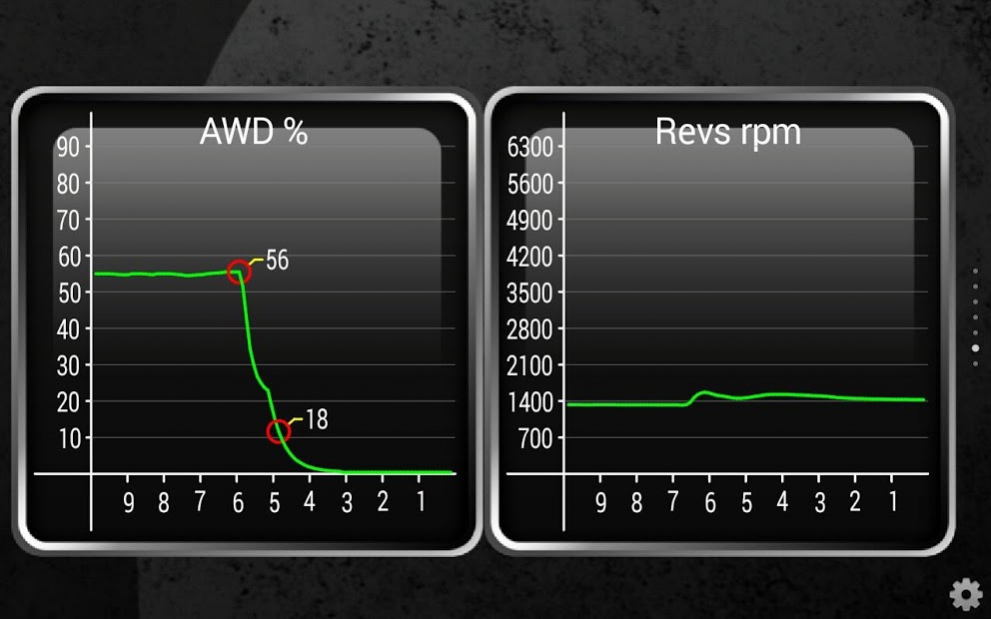
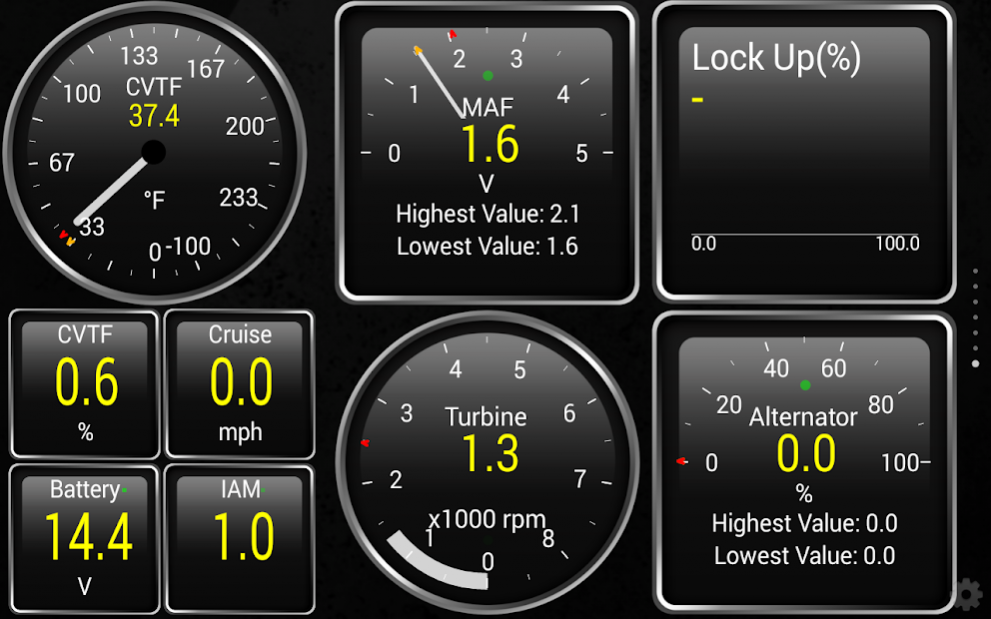
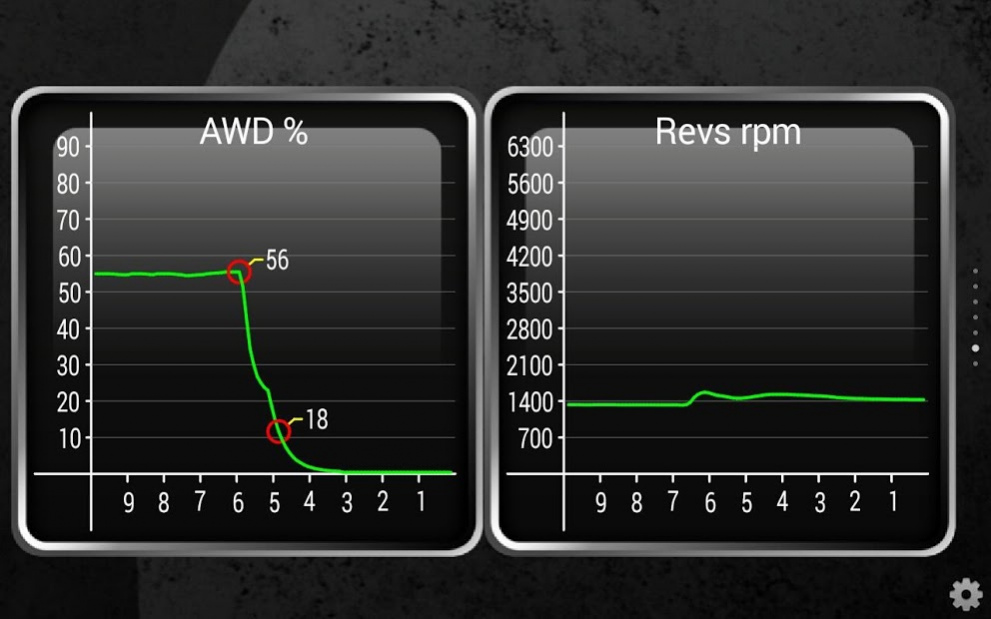
ATTENTION ! THIS IS A LEGACY (OLD) SOFTWARE, DOWNLOAD IT ONLY IF 100% SURE. THE PRICE IS REDUCED (SALE OUT).
ActiveOBD TQ is the Torque Pro application plug-in providing extra Subaru-specific sensors. Compatibility check (FREE): stand-alone application "ActiveOBD for Subaru" https://play.google.com/store/apps/details?id=com.activeobd.app
REQUIREMENTS:
- Compatible OBD adapter: OBDLink MX / LX (recommended), Vgate iCar2/3/Pro;
- Subaru vehicle MY 2007-2018 (CAN bus interface);
- Torque Pro (paid version) installed with full access enabled for Plugins (Settings -> Plugins -> Allow plugins full access).
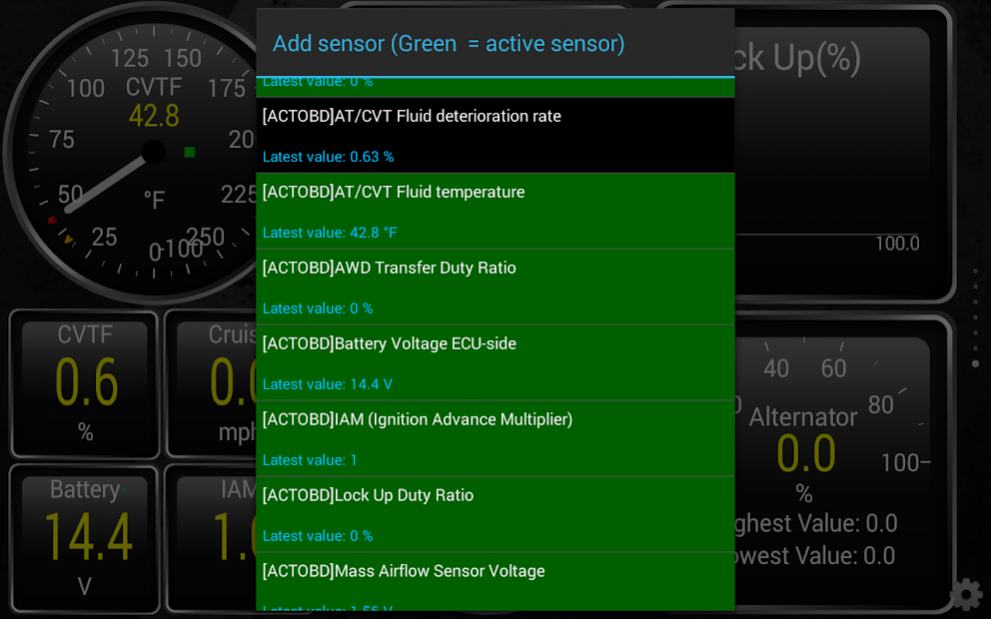
Extra sensors list (subject to availability):
- AT/CVT Fluid temperature;
- AWD Transfer Duty Ratio;
- Mass Airflow Sensor Voltage;
- Lock Up Duty Ratio;
- Turbine Revolution Speed;
- IAM (Ignition Advance Multiplier);
- Battery Voltage ECU-side;
- Alternator Duty;
- Memorized Cruise Speed;
- AT/CVT Fluid deterioration rate (experimental).
Note: the plug-in provides the UI for sensors selection and export options setup.
About ActiveOBD TQ (OLD)
The company that develops ActiveOBD TQ (OLD) is ActiveOBD.com. The latest version released by its developer is 2.4. This app was rated by 21 users of our site and has an average rating of 3.4.
To install ActiveOBD TQ (OLD) on your Android device, just click the green Continue To App button above to start the installation process. The app is listed on our website since 2018-07-28 and was downloaded 902 times. We have already checked if the download link is safe, however for your own protection we recommend that you scan the downloaded app with your antivirus. Your antivirus may detect the ActiveOBD TQ (OLD) as malware as malware if the download link to com.activeobd.tq is broken.
How to install ActiveOBD TQ (OLD) on your Android device:
- Click on the Continue To App button on our website. This will redirect you to Google Play.
- Once the ActiveOBD TQ (OLD) is shown in the Google Play listing of your Android device, you can start its download and installation. Tap on the Install button located below the search bar and to the right of the app icon.
- A pop-up window with the permissions required by ActiveOBD TQ (OLD) will be shown. Click on Accept to continue the process.
- ActiveOBD TQ (OLD) will be downloaded onto your device, displaying a progress. Once the download completes, the installation will start and you'll get a notification after the installation is finished.
Program Details
System requirements
Download information
Pricing
Version History
version 2.4
posted on 2018-07-28
version 2.0
posted on 2016-06-12
Added UI for sensors selection and export setup.,See https://plus.google.com/u/0/communities/104832907389601440519
